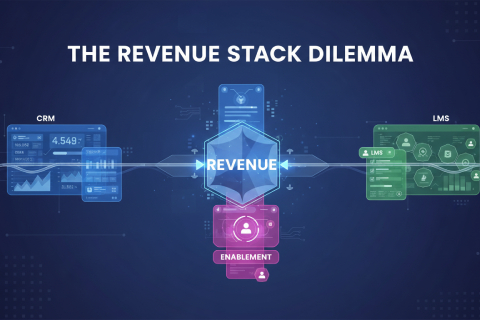

Your sales reps in Bangalore, Noida, Mumbai, or Indore are probably ignoring the 50-page strategy PDF your marketing team spent weeks creating. Instead, they may be using an old PowerPoint deck from a shared drive because it is familiar, fast, and easier to find during a customer conversation.
This is not a content shortage problem. It is a content discovery problem.
Most enterprises keep producing new decks, whitepapers, brochures, battlecards, videos, case studies, and product notes. But the frontline still struggles to find the exact asset they need when the buyer asks a specific question. The content exists somewhere. It is just not usable in the moment that matters.
In sales teams, this gap becomes more damaging because selling is fast, local, and context-heavy. Reps need regional proof, industry relevance, pricing clarity, objection handling, and customer-specific value stories. If they cannot find the right asset in seconds, they either wing it, send a generic document, or create their own version. That creates inconsistent messaging, compliance risk, and lost deal momentum.
The solution is not to build more content. It is to make the right content discoverable, contextual, and usable inside the sales workflow.
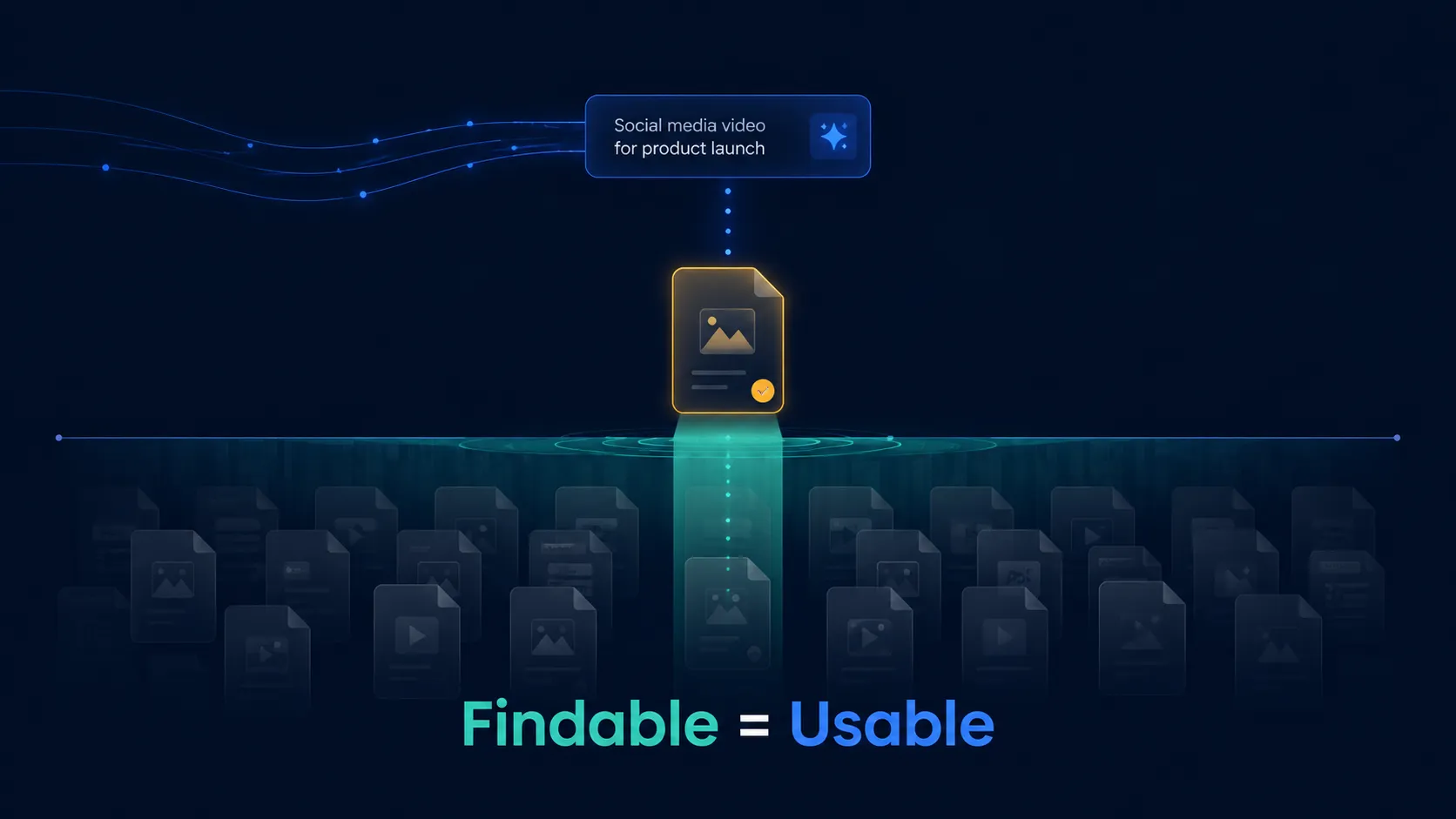
The biggest failure in enterprise content strategy is the gap between content volume and content accessibility. Most companies have enough assets. The problem is that these assets sit inside shared drives, content portals, email threads, Slack channels, legacy CMS platforms, or unindexed folders.
For the sales rep, content that cannot be found quickly does not exist.
This matters because buyer questions are increasingly specific. A customer may ask for a case study from their industry, a comparison against a competitor, a regional success story, a compliance document, or a quick ROI explanation. If the rep cannot surface that content during or immediately after the conversation, the moment is lost.
Many enterprises still organize content around how marketing creates it: product decks, brochures, campaign assets, whitepapers, videos. Salespeople, however, search based on the selling moment: “price objection,” “CFO proof,” “insurance comparison,” “implementation concern,” “Tier 2 customer story,” or “competitor response.”
This mismatch creates the discovery gap.
Pro Tip: Audit your content from a rep’s point of view. Ask: can a seller find the right asset for a specific customer objection in under 30 seconds?

An invisible content library silently increases deal cycle length. When the right asset is buried, reps lose momentum during active consideration.
A prospect may ask for proof that your product works in their industry. The rep knows there is a case study somewhere, but cannot find it. They send a generic deck instead. The buyer does not get the validation they needed. Doubt enters the deal.
This is even more dangerous in B2B deals where the first buyer is rarely the only buyer. Your champion inside the account has to convince finance, procurement, IT, compliance, or senior leadership. If your content library is hard to navigate, your champion is under-equipped for internal selling.
Good sales content does not only help the rep. It helps the buyer sell your solution internally. If that content is invisible, the deal stalls even when the product is strong.
The fix is to organize content by use case, buyer persona, industry, objection, and deal stage. A rep should not search for “Q3_Final_ProductDeck_V7.” They should search for “manufacturing ROI proof” or “security objection” and find the right asset instantly.
Pro Tip: Track which assets are opened before deals move from discovery to proposal. These are your real deal accelerators. Make them impossible to miss.
Many high-value assets are not used because they are not built for live selling. A 20-page whitepaper may be excellent for thought leadership, but it is not useful in a 15-minute customer conversation.
During a live pitch, the seller needs content that supports the conversation without interrupting it. Long PDFs, heavy videos, complex calculators, and dense decks can create awkward pauses. If the asset takes too long to open, explain, or navigate, the rep will avoid it.
This is why sellers fall back on legacy decks. They may be outdated, but the rep knows them well. Familiarity feels safer than risking a new asset that may not load or may contain a point they cannot explain confidently.
Every content asset meant for sales should come with three things: a clear use case, a short talk track, and a simple moment of use. Reps should know when to use it, what to say while using it, and what outcome it is meant to drive.
Break long assets into modular sales-ready formats: one-slide proof points, objection cards, short customer stories, two-minute explainer videos, quick comparison tables, and mobile-friendly calculators.
Pro Tip: Never release a new sales asset without a 60-second internal explainer telling reps how to use it in a conversation.

More content does not always mean more enablement. In large organizations, excessive content creates a search tax.
When sellers see 20 decks for the same product, they do not feel empowered. They feel uncertain. Which deck is current? Which one is approved? Which one is for enterprise buyers? Which one is for BFSI? Which one handles pricing? Which one has the latest numbers?
Too much choice creates decision paralysis. So reps use whatever they already know. This is how outdated decks survive long after marketing has moved on.
Content bloat also creates compliance and brand risk. Old pricing, outdated claims, expired offers, and inconsistent messaging continue circulating because no one knows which version is official. In regulated sectors like BFSI, insurance, lending, and healthcare, this is not just inefficient. It is risky.
Marketing teams should not measure success by number of assets produced. The better metric is content utilization: which assets are actually used by top performers, which ones help move deals forward, and which ones never get opened.
Pro Tip: Run a quarterly content cleanup. Archive assets that are outdated, unused, duplicated, or unclear. A smaller library that sellers trust is better than a large library they avoid.
Without proper discovery tools, sales reps lose hours every week searching, recreating, and verifying content.
A rep may check a shared drive, ask in a WhatsApp group, message a product manager, search email, open an old deck, and then manually edit slides before sending anything to the customer. This is not selling. It is administrative recovery.
The time loss compounds across teams. If a 500-member sales team spends even 20 minutes a day looking for content, the organization loses thousands of selling hours every month.
The bigger issue is inconsistency. When reps cannot find approved content, they create their own. Some versions may be good. Some may be inaccurate. Some may be off-brand. Some may over-promise. Leadership then loses control over what customers are actually seeing in the market.
Sales enablement should reduce search time, not add another portal to check. The best systems bring content into the seller’s workflow: CRM, lead view, opportunity stage, mobile app, or live customer conversation.
Pro Tip: Measure “search time per asset.” If reps need more than one minute to find commonly used content, the discovery system is slowing revenue.
In large enterprises, content is often owned by different teams: marketing, product, legal, sales, training, compliance, brand, and regional business units. Each team creates and stores assets in its own way.
The result is fragmentation. Product has the latest feature sheet. Marketing has the latest deck. Legal has approved disclaimers. Training has the pitch script. Sales has the WhatsApp version that reps actually use. No one has the full, current, searchable version.
This fragmentation creates three problems. First, sellers do not know which asset is official. Second, teams duplicate work because they cannot find what already exists. Third, customers receive inconsistent messages depending on which rep they speak to.
The fix is not only a better repository. It is content governance. Every asset should have an owner, expiry date, approval status, target user, use case, and search tags. Content should not be treated as a file. It should be treated as a sales tool with lifecycle management.
Pro Tip: Assign business ownership to every high-value asset. If no one owns updating it, the asset will eventually become a risk.
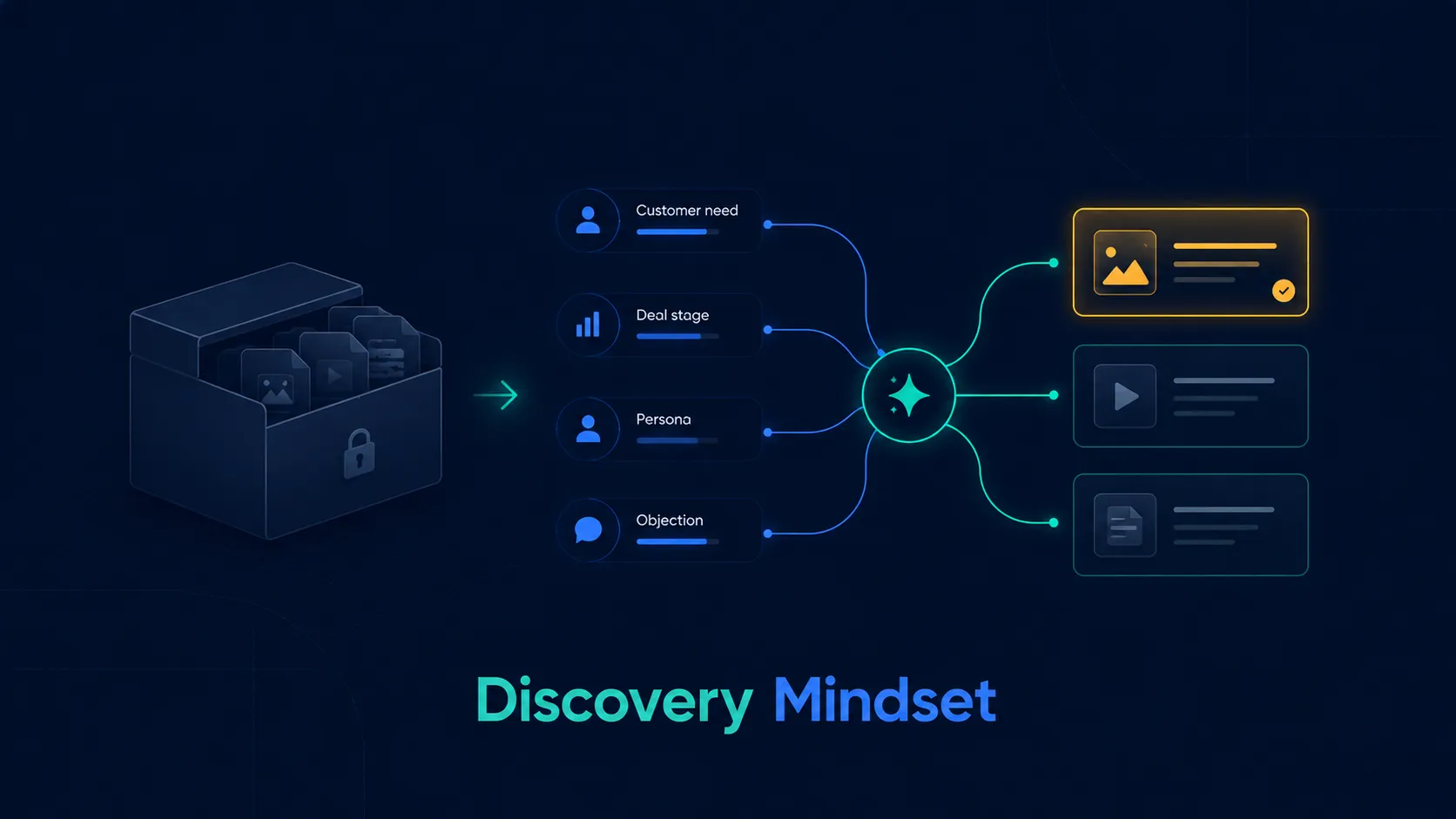
Most companies think of content repositories as storage systems. The goal is to keep everything in one place. But storage does not create usage.
A discovery mindset starts with a different question: when a seller needs help in a specific moment, what should surface automatically?
This requires moving away from folders and toward intent-based discovery. Instead of making reps browse through product lines, regions, and campaign folders, the system should allow them to search by customer need, industry, objection, persona, or deal stage.
A storage mindset says: “The content is uploaded.” A discovery mindset says: “The content appears when the seller needs it.”
This also changes how content is created. Every new asset should be built with metadata, tags, search terms, and usage context from day one. If an asset cannot be searched, recommended, tracked, and updated, it is not ready for the sales team.
Pro Tip: Before creating any new asset, define where it should appear, who should use it, and which sales moment it supports.

Contextual tagging is what turns a content library into a recommendation engine. Generic tags like “brochure,” “case study,” or “deck” are not enough. Sellers do not search by asset type. They search by problem.
Useful tags reflect the real selling context: industry, customer segment, product, persona, objection, deal stage, competitor, region, language, and compliance status.
For example, a tag like “case study” tells the seller very little. A tag like “BFSI / enterprise / cost reduction / CFO / negotiation stage” tells the seller exactly when to use the asset.
Tagging also helps marketing learn what works. If assets tagged “price objection” are often used in won deals, the team knows that pricing support is critical. If assets tagged “implementation timeline” are used but deals still stall, the content may need improvement.
The biggest mistake is over-tagging without discipline. Too many overlapping tags create noise. Tags should be standardized, reviewed, and linked to the sales process.
Pro Tip: Build objection-specific tags. A seller should be able to search “integration concern” or “too expensive” and instantly find the right proof, talk track, or calculator.
Traditional content audits count assets. A better audit tests findability.
Start by asking sellers to complete common search tasks: find a case study for a banking prospect, a competitor comparison, a pricing objection response, a regional testimonial, a compliance note, or an ROI calculator. Track how long it takes, how many clicks are needed, and whether they find the approved version.
Then review internal search logs. What are reps searching for? Which searches return no result? Which terms are they using that marketing does not use? These gaps reveal the difference between internal language and field language.
Also review usage data. Assets with low usage may not be low-value. They may simply be invisible. Conversely, assets with high usage but old data may be creating hidden risk.
Every asset should be evaluated on four questions: is it current, is it approved, is it searchable, and is it useful in a real sales conversation?
Pro Tip: Create a searchability scorecard for every major asset. If metadata, tags, owner, expiry date, and use case are missing, the asset should not enter the sales library.
Fixing the discovery gap requires a shift in both content strategy and sales operations.
First, identify the top sales moments where content is needed: first meeting, need analysis, objection handling, product comparison, ROI discussion, proposal, negotiation, and post-meeting follow-up.
Second, map existing assets to those moments. This will reveal both duplication and gaps. You may find 40 awareness assets but no strong pricing objection tool, or 10 product decks but no simple customer-facing ROI story.
Third, clean the library. Remove outdated, duplicate, unused, and unapproved content. Sellers need confidence that what they find is current and safe to use.
Fourth, rebuild taxonomy around sales usage. Tag content by persona, industry, region, product, stage, objection, and language.
Fifth, bring content into the workflow. Do not make sellers leave the CRM or sales app to hunt through folders. The right asset should appear based on the lead, customer profile, product, and conversation stage.
Finally, create a feedback loop. Let sellers rate assets, request missing content, and report when something does not work in the field. Marketing should not guess what sales needs. Sales usage should guide content priorities.
Pro Tip: Build a fast-track content shelf: the top 20 assets that most directly help reps move deals forward. Make this shelf visible, searchable, and updated every month.
Conclusion
The friction in your sales cycle is rarely caused by a lack of content. It is caused by a lack of accessibility. Most enterprises already have enough decks, brochures, posters, battlecards, calculators, and case studies. What they lack is a system that helps sellers find the right asset at the right moment.
In Indian sales environments, this matters even more. Reps are often selling across regions, languages, customer types, product variants, and compliance requirements. They do not need a larger content library. They need a sharper discovery layer that brings approved, relevant, and ready-to-share content into their daily workflow.
The future of sales enablement is not “build more.” It is “surface better.” The best organizations will treat content as part of the sales conversation, not as a folder to visit after the moment has already passed.
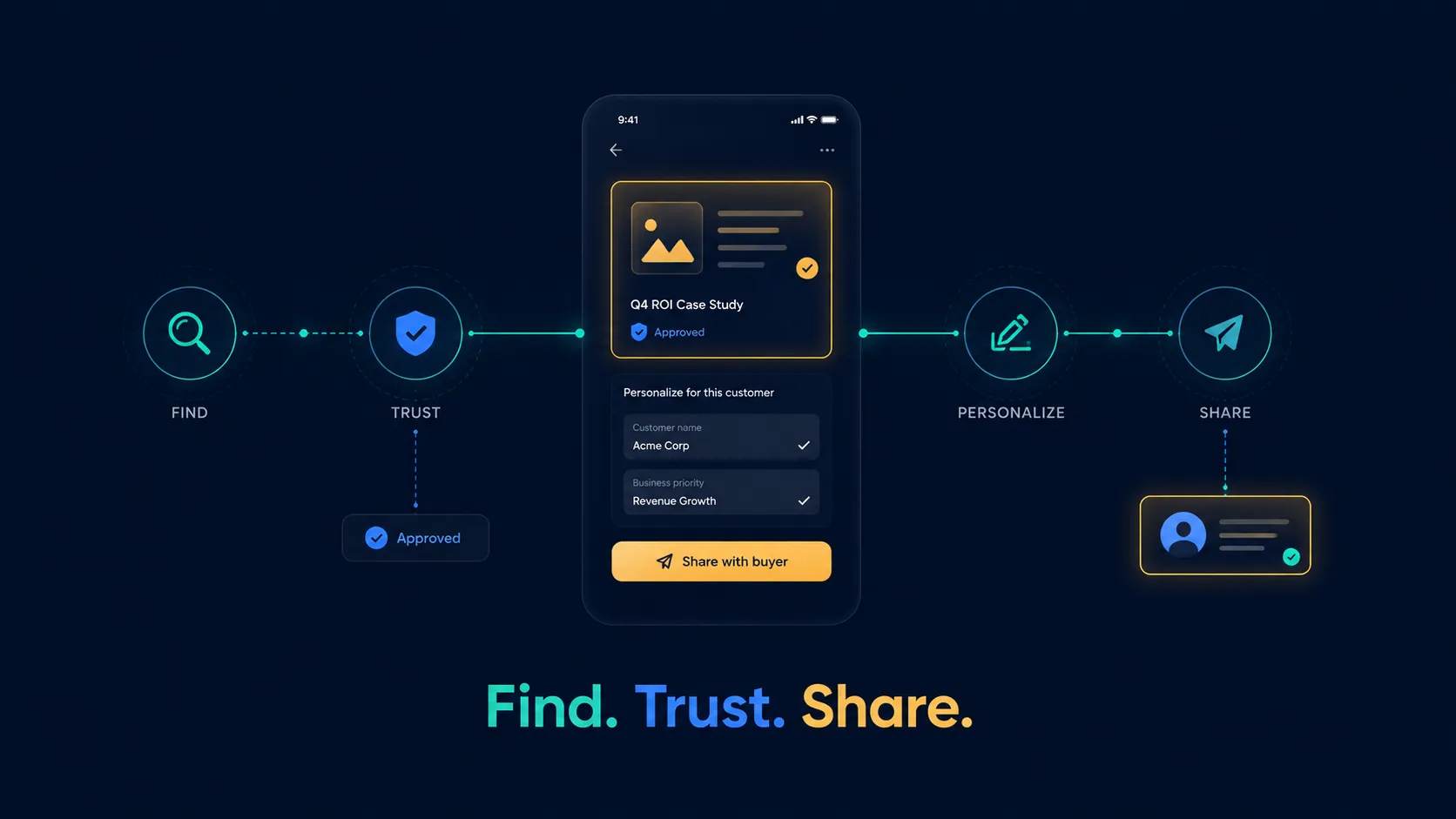
This is where Sharpsell can help in a practical way. In the Sharpsell app, sellers can access a dedicated section for marketing collaterals, including poster of the day, product-wise brochures, approved sales content, and other ready-to-use assets. Instead of searching across folders or asking teams for the latest version, reps can find the relevant brand-compliant collateral, personalize it with the customer’s name where needed, and share it directly with the customer through WhatsApp.
That may sound simple, but it solves a real execution gap. Content becomes usable at the point of sale. Sellers do not have to recreate assets, depend on outdated files, or break the conversation to hunt for material. Marketing gets better control over what is used in the field, while reps get faster access to content that helps them move the customer forward.
Stop adding to the noise. Audit your existing content, remove what is unused, tag what matters, and make the right assets available inside the sales moment. Content creates revenue only when sellers can find it, trust it, personalize it, and share it without friction.
What’s a Rich Text element?
The rich text element allows you to create and format headings, paragraphs, blockquotes, images, and video all in one place instead of having to add and format them individually. Just double-click and easily create content.
Static and dynamic content editing
A rich text element can be used with static or dynamic content. For static content, just drop it into any page and begin editing. For dynamic content, add a rich text field to any collection and then connect a rich text element to that field in the settings panel. Voila!
How to customize formatting for each rich text
Headings, paragraphs, blockquotes, figures, images, and figure captions can all be styled after a class is added to the rich text element using the "When inside of" nested selector system.
zdxfhgfg
- sdnslk,xdv
- SDlknjsdv
- SDvlknj
- sdgdf v